Wednesday, April 19, 2023

KPMG Hui #1

Reunited once more!  It was lovely to catch up with the group again at Lawn Cafe for breakfast before our first KPMG session on Monday 27th March.  We were greeted at KPMG by the lovely Justine and shown to the wonderful facilities that we will be using at each of our Auckland - KPMG sessions.

We began with a quick WWW to warm ourselves up and get our thinking on the right track.

  • What has emerged to add clarity and confirmation to my thinking? Loving my HMW question to really focus in on what solution I might come up with.
  • What has challenged or confronted my thinking?  Is what I am perhaps wanting to create going to be of use to anyone other than me? Are the assumptions I have made correct?
  • What HMW question am I currently confirming?  How might we explicitly teach students to effectively communicate their ideas? 
Next we each shared our Prototype Planning slides that we had completed before this meeting.  This included our potential features or how the solution might work, what the solution might look like and checking our assumptions.  It was valuable to share and talk out loud, sometimes the things we have written sound quite different when we actually have to share them verbally.  I am left wondering if my solution actually matches up with my HMW question.


We were then given time to start working on a prototype of our solution.  This will be shared far and wide to get as much feedback as possible before we invest a good portion of the year creating our final product.


I am asking for feedback via this Google Form, if you happened to be interested enough to invest a little bit of your time and let me know your thoughts.😊


Saturday, March 18, 2023

Beginning my Manaiakalani Innovative Teacher Journey

 First MIT Hui 2023

Our first MIT Hui was held in the stunning Omaha, a hop, skip and a jump from the beautiful beach.  Omaha means 'bountiful food' or 'great resources' in Māori. This proved to be very fitting because we were treated to plenty of delicious food, thanks to the wonderful Jenny.

It was great to finally meet everyone who would be on this amazing journey together. I was feeling a bit apprehensive before the hui, but due to the amazing process that we were led through by Dorothy and Matt, I am feeling a lot better about it all and can see what an amazing opportunity I have found myself a part of.

I enjoyed getting to know the other teachers in the MIT 2023 - Essie, Jayne, Gabe, Maiken and Crystal. I can tell that they are going to be a great source of support and knowledge over this year. We worked hard over these first couple of days together and I look forward to meeting up for more of the same throughout the year.


Getting Started

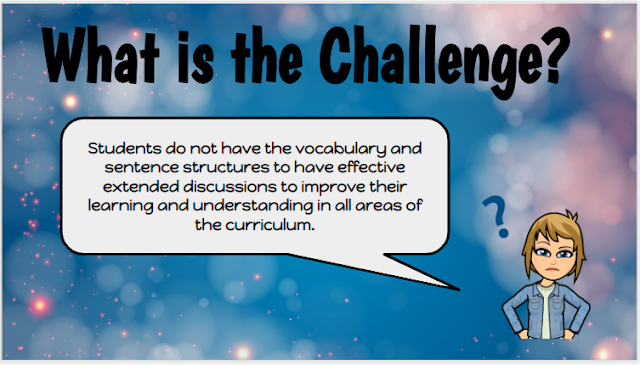
The main reason for applying to be part of the MIT is to solve a problem or challenge you are experiencing.  I was concerned with students not having the vocabulary or sentence structures to have the extended discussions needed to extend their learning in all areas of the curriculum.

We began the first morning with a role play.  Jenny was the Principal of Omaha Area School, Dorothy the Board Chair, Matt a 'surprise' ERO representative and the rest of us were parents of children attending the area school.  We were given specific roles to play, so you had to think carefully about what that person might be interested in, might get upset by and play your role as best you could.  The meeting was to highlight to the community the challenges that the school or students were facing.  It wasn't until after a few challenges that I realised that these were OUR challenges, our Moonshot Proposals that we had posed in our initial interview to be part of MIT 2023.  This was such a powerful way of sharing our proposals and alerting us to the fact that they were perhaps too wordy, that there were several challenges wrapped up in the one challenge and that they weren't clear enough to actually go about solving them.

Next it was our turn!  We buddied up and worked out how to share, using role play, what our challenge looked like for the learner and the teacher.  I worked with Gabe and as we chatted about my challenge he very quickly knew what he needed to do, as the student, to share what this looked like.  I was his student in his role play who was having trouble understanding what the maths problem was actually asking me to do.

I even made a cameo appearance in Essie and Jayne's role play!😆


Design Process

The first step in the design process involves learning as much as possible about the problem by understanding both the context of the situation and understanding the problem at hand from the perspective of the 'user'.  The role plays helped to get us thinking about our users and the impact on them.  The users in my case being myself as the teacher and the student who is experiencing this challenge with oral language.  During this process you can really empathise with each user to understand someone's experience through answering 4 questions:

  1. What does your user do?
  2. What does your user say?
  3. What does your user think?
  4. What does your user feel?


Working through this process the biggest revelation to me was that both users would have very similar feelings and I felt they would be ones of confusion, frustration and helplessness.

Interpretation - How Might We? - HMW?

We now needed to define our problem or challenge.  My initial challenge was very wordy and clunky:

"Students do not have the vocabulary or sentence structures to have effective extended discussions to improve their learning and understanding in all areas of the curriculum."

Through sheer grit and determination, some wonderful interjections from my fabulous colleagues and being given the magic of, HMW it transformed into:

"How might we explicitly teach students to effectively communicate their ideas?"

This was my stand out moment of the work we did in Omaha.  My wordy, clunky, quite negative sounding challenge turned into a positive sounding opportunity.  An opportunity that made me feel excited to get started on.

We took a break from thinking about our own opportunities and made suggestions on our colleagues' charts.  We were given some very handy sentence starters to frame our suggestions for each other.

Who?
Who does this Moonshot project involve?
Who am I collaborating with on this project?
Who are my team?
Who has a voice in this project?

It was interesting to really reach out and think about who could be valuable to me in this project.


Ideation
Our last activity, before we left the beautiful Omaha, was something called the Crazy 8's.  You had to think of 8 different ways you might solve your challenge.  You could be as original and creative as possible.  The idea being that the first few ideas would be easy to come up with and then it would be harder and harder to fill the last ideas.  

Once you had completed your ideas, you then shared these back to the group so that then they could come round and sticker or stamp their favourite options.  As a final round we had to go back and sticker or stamp our one favourite idea from each Crazy 8 presentation.  This meant we ended up with 1 or 2 clear favourite options.


This was so useful to start thinking about how I might solve my challenge and what other people valued as good ideas as well.  

What an amazing couple of days!  We covered so much, thought a lot, talked a lot and got so much achieved.  I can't wait until we meet up again at the end of the month in Auckland😊

Monday, September 14, 2020

Week 9 - DFI Finale

The end is here, we have made it and I am going to miss our Tuesday sessions that have been full of thinking and learning. What an amazing course, lots of talk about the pedagogy behind Manaiakalani, which then makes you think about your own teaching pedagogy and what needs to be adjusted to fit with your new ideas and beliefs.  I think the big learning I am taking away is that teaching needs to be:

  • visible
  • rewindable
  • a variety of multimodal content
  • ubiquitous access to learning, i.e. could the child learn by self 
  • connected (blog links, other sites)
  • creative - both in your teaching and learning.
Today we were exposed to the term Ubiquitous Learning - I now know how to say it, so that's a bonus. It means that learning can be Any time, Any where, Any place and From Anyone.  This of course became our Distance Learning from this year. I know after attending this course and what I want to achieve with my new Learning Site that I would be so much more prepared for this if we were to need it again. I think my students would also be more prepared and I really liked the idea of having "Google Meet Drill" opportunities while we are at school to ensure that if we were to go back into lockdown my students are ready and have the skills to engage in meetings by distance.

The fact that my daily teaching is becoming more visible, rewindable and ubiquitous I am loving the fact that if students are going to be away for any reason I can just let their parents know that the Learning Site will have all the learning for Maths and Literacy so they don't need to miss out. Eventually I want my students to know that they can just tell their parents that all the learning they will be missing will be on the Learning Site and there is no need to ask me for work.

So where to from here? I will continue working on my Learning Site and I want to change my planning so I am taking note of what digital areas I am covering, either in explicit teaching to my students or what they are using to create and then share their learning. I still need to think about how to integrate blog posts and commenting into my week and make it second nature for my students. I also need to make time to do blog commenting myself and how I see this fitting into my regular weekly timetable. I think these next holidays will be a good chance to have a catch-up and a think about how this will all look. Trial it for Term 4 and then be ready to hit the ground running for Term 1, 2021.

Tuesday, September 8, 2020

Week 8 - Computational Thinking

A few years ago when I taught in a 1:1 ipad class our message to parents was that the ipad was 'just a tool'.  This was to ensure the parents weren't worried that the classes who were 1:1 weren't just going to plug their child into a device and leave them to it for the day. Back then it was just a tool, although it did have the ability to create a new eagerness and interest in learning for our students.  The only part it was missing was the Share part. I can now understand the whole process Learn, Create, Share and how important the Share part of this process is. The students in my class are really starting to connect with the fact that they do get comments on their blogs and they can reply to them. The replying step is quite new to lots of them but it is really deepening the connections that are being made to their learning process.

I found the information that was shared on the Digital Technologies Curriculum very timely and very informative. Something that really stood out for me was the fact that we can easily be keeping a record of what we are covering in the Designing and Developing Digital Outcomes part by just noting it in our planning. For example if the expectation is that the students will share their learning in a Google Drawing and insert an image in the background (playing around with the transparency setting) then this can be noted in your planning and there is the link and coverage of that part of the curriculum. As the children have more and more tools in their toolkit then the choice can be up to them how they want to present their learning. Just this week I have set my students the task of researching an item of technology that they feel has changed their lives or the lives of others and I have given them the freedom to choose how they want to present their findings. When we share these with the whole class the discussion can also be about what tool was used to present the information and this will help students make their choices in future tasks.


It was fun to have a go with some of the different coding resources available to us. I think I will make this part of my programme some how. I need to find out what experience my students have had in this area and then go from there. There was a fun Dance Party type activity in one of the Hour of Code online resources that would be quite fun to use as an absolute beginning point to coding but if my students already have some knowledge then this wouldn't be of any benefit to them at all - other than the entertainment value! Scratch is by far more advanced, and I think it would be quite a good resource to use as a whole class where I also learn alongside my students and role model being a learner, asking for support from others, struggling and persevering to complete the task. I think I will timetable this in over the next couple of weeks of term and see how it goes. I can then add it into my Must Do activities - where I set them a certain task or the Can Do area for children to work on when they have finished other tasks.


Monday, August 31, 2020

Week 7 - Devices

Through the Manaiakalani pedagogy the belief is that we are empowering our learners as connected and confident decision makers.  Sharing their learning on their blogs is personal and the students need to decide what they want to share, what they want to put out there into the world to be 'judged'. This is where the commenting system of Positive, Thoughtful, and Helpful safeguards our learners and ensures they want to keep posting their learning online. I really connected with this quote from Lee Anne Lindsey (2017) where she said that when taught in a positive light, digital citizenship helps them navigate effectively through the digital world resulting in healthy interactions, a positive digital presence and increased learning opportunities.

This week we had some time to work on a Chromebook - the device used by the students in my classroom.  This was a beneficial session to use the same device as what my students use every day to become more familiar with this.  There are lots of shortcuts, I wonder if there are actually too many to remember but obviously the more you use something the more familiar it will become.  I have noted some of the shortcuts I think my students should know and should use.  I will add these into my digital learning sessions each week and the students will use them or not, to suit. 


We were reminded about Screencastify and Explain Everything.  I need to find something similar to use on a Chromebook that doesn't require a subscription.  I have had my students use Google Drawings with Screencastify to explain their maths learning but just wonder if there is something better than this.  My goal is to get my students using Screencastify a lot more - such a valuable tool to get them to verbalise their learning. 


Monday, August 24, 2020

Week 6 - Leading Learning with Class Sites

My whole journey for today was my Class Learning Site.  I started thinking about it before today's session even started, so we had only really just started the day and I was in the mindset that I wanted to begin constructing my class site from scratch.  It was such new learning for me at the beginning of this year hence the fact that my ideas, knowledge and pedagogy surrounding the use of a class site has changed. 

I have really enjoyed the exposure to all the thinking on:

  • visible teaching and learning
  • rewindable learning
  • multimodal content
  • ubiquitous access to learning, i.e. could the child learn by self 
  • connected (blog links, other sites)
  • opportunities for learners to be creative
We spent some time today looking at different sites to share some ideas with us.  I had been looking at some examples and knew what I wanted my site to look like. It just seemed like the perfect time to start my site again.  Here is a quick image of my old site compared to my new site.  It will be a work in progress of course but I think I can quickly set up the Writing and Maths pages ready to use. 


I want to incorporate buttons for those learners who find these easier to access.  I want to ensure the learning is visible and it is rewindable.  Thanks to Cara, who is in the DFI course with me, I saw an excellent model of how I want my class site to look and operate.  To me it seemed clear and easy to follow for teaching and learning.  I will be very interested to get my students' opinions on the new site compared to the old site. 

Sunday, August 23, 2020

Week 5 - Collaborative Teaching and Learning

 Our connecting with Manaiakalani words of wisdom today were all about making learning visible. It really made me start thinking about how visible my teaching and learning is with my students and what I could change to ensure it is as visible as it can be.  Students should not have to jump through hoops trying to read your mind to have success, they should have the learning shared with them.  This is ensuring we are using WALTS, Learning Intentions and Success Criteria, anything that works for our students. A very important point to think about is that this needs to be visible at all times, so it can’t just be on the whiteboard or wall in the classroom, it needs to be shared and available digitally as well.  Then we go down that path of the students being part of creating the success criteria.  I feel like this learning journey is ensuring all parts of my teaching pedagogy is being covered and thought about and when I have it all set up and running how I would like it to be then it is going to be perfect!  I’ll let you know when that day arrives!

Engagement is also key.  How do we excite and ensure our children are interested in the learning opportunities we are providing?  Do they have enough choice?  Do they have all of the tools in their toolkit so they can make choices on how they will present their learning so they can share this with others?  I do see the importance of actually specific teaching of the tools, but being clever with this so they actually end up with a DLO that they could put in blog post.

We spent time looking at Google Sites this week, also dipping into T-shaped literacy which I am not sure I have my head around yet and so am gratefully checking out any examples people have to share.  My goal is to have a bit of a dabble for Week 6 and build on my knowledge and ideas from there.  I’ve learnt that you just need to start and then you adjust, learn, add, change etc. etc. as you go.  I currently have a Google Site set up for my classroom but my thinking was challenged with the idea that you can have several Sites running at the same time during the school year and that each year you should start a new Site. This means that the Google Site remains true to the year it was used in and is evidence of your teaching and learning for that school year.

I created a Google Site for a collection of ideas for an Arts Week that is approaching this term.  I also created some round buttons which I will now use on my classroom site - I was always intrigued with round buttons, rather than the standard buttons on other sites that I had browsed.


MPI - Create and Share in Mathematics

  Our last day of the Mathematics Practice Intensive for 2024!  I have to be honest and say that I will miss the sessions and all of the won...